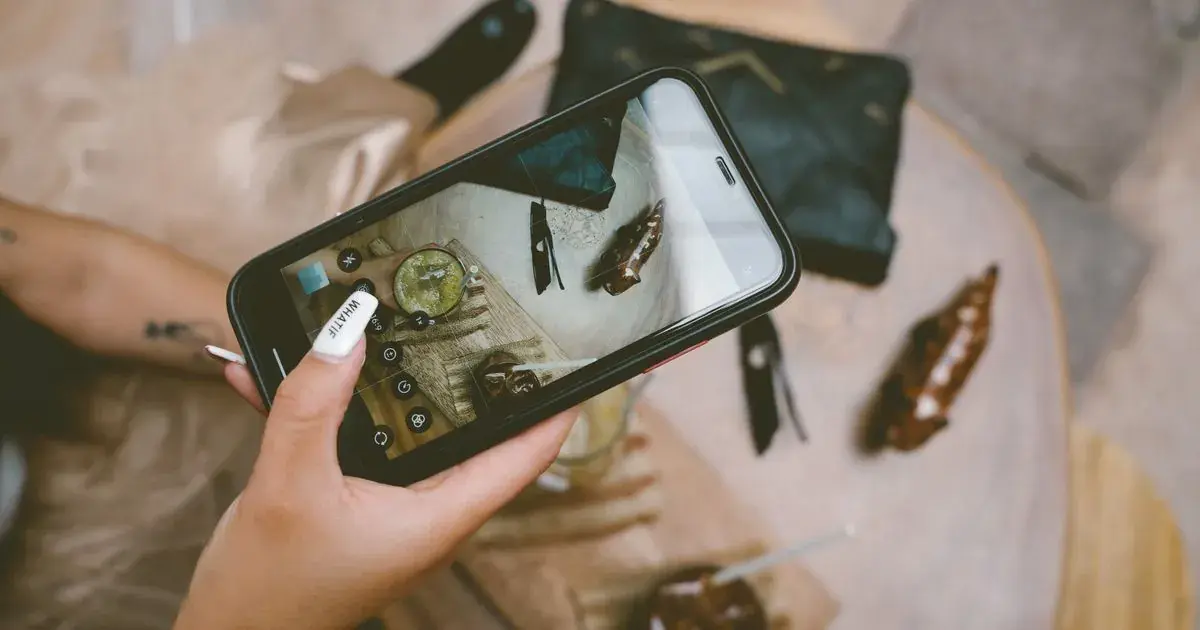

CapCut for Nail Photos
Quick answer: CapCut works for nail photos, but it is a video editor with a photo mode attached. Use it for TikTok slideshows, text overlays and trimming clips. Do not rely on it for colour, because its filters are graded for motion and its retouch tools are built around faces rather than hands.
CapCut is already on your phone. It cut the last reel, it captioned it, and it sits right next to the camera roll. So the set you shot at four o'clock goes in there too, because opening a second app feels like extra work.
Then the gel comes out looking faintly plastic and you cannot quite say which slider did it.
Is CapCut a photo editor or a video editor?
A video editor, with photo support added on top.
CapCut is made by ByteDance, the same company as TikTok, and every design decision in it points at short vertical video. When you bring a photo in, it becomes a still clip sitting on a timeline. You can adjust it and export it, and that works fine. But the tools you are handed are the ones a video edit needs, not the ones a single nail photo needs.
A photo editor gives you fine control over one image, while a video editor gives you a look you can push across thirty seconds of footage without it falling apart. Nail photos want the first thing, and CapCut is very good at the second.
There is also a separate set of CapCut photo tools on the web, and a Retouch section inside the app. Both exist, both are usable, and both are pointed at portraits.
Where CapCut genuinely earns its place
Slideshows for TikTok Photo Mode are the obvious one, and CapCut is better at them than anything else free.
Text overlays are the second. Service name, price, "swipe for the other hand", all of it sits in CapCut with fonts that look current rather than like a 2016 meme. Trimming a forty second application clip down to twelve is the third, and auto captions on a talking clip the fourth.
None of those jobs involve colour, which is a useful thing to notice about a tool you are about to trust with a gel shade.
What does CapCut cost for a nail tech?
There is a free tier and there are paid tiers, and the honest answer on price is that CapCut will not tell you a number in advance.
Its own help page says the cost "can vary depending on your region, device, and available promotions" and sends you into the app to look, according to CapCut's pricing help article. Worth knowing before you assume a figure you saw quoted somewhere applies to your account, because App Store billing and web billing are not always the same price either.
The free tier covers what most techs actually do: import, crop, adjust, add text, export. Higher-resolution export and most of the AI tools sit behind the paid tier. If your posts live on TikTok and Instagram, the free tier is very likely enough.
Why do nail photos come out wrong in CapCut?
Mostly because of the filters. A look designed to sit on moving footage has to survive compression, motion blur and a small screen, so it leans hard on contrast and saturation. Put that on a still close-up of gel and the shine clips to white while the shadow along the sidewall goes solid.
The retouch tools cause the next set of problems. Smooth, blur and the various beauty sliders are all trained to find a face, so pointing them at a hand gets you one of two outcomes: nothing happens, or the tool decides a cuticle is a blemish and erases the edge you spent twenty minutes cleaning up.
The Adjust panel is the one part of CapCut that is genuinely right for the job, since it gives you temperature and tint. But you are setting those by eye against a nail that occupies about four percent of a phone screen, inside a timeline interface, with no way to compare against the original except toggling the whole clip off and on. Fixing yellow nail photos is possible in CapCut. It is just slower and less certain than it should be.
When is CapCut the right tool for a nail post?
When the output is a video or a slideshow, and the colour has already been handled.
That order is the useful part. Correct the photo somewhere that is built for photos, then bring the corrected file into CapCut for the layout, the text and the audio. Doing it the other way round means CapCut's grade lands on top of your correction and undoes it.
If you are filming as well as shooting, nail art videos is the sibling piece, and most of what makes a clip watchable happens before CapCut opens.
How does CapCut compare to the other apps nail techs use?
| App | Best at | Colour accuracy on gel | Time per photo | Cost |
|---|---|---|---|---|
| CapCut | Slideshows, text, video | Fair, filters push contrast | 2 to 4 minutes | Free tier, paid Pro |
| Built-in Photos app | Quick crop and exposure | Fair, auto-enhance overreaches | 1 to 2 minutes | Free |
| Snapseed | Precise selective edits | Good, with practice | 5 to 8 minutes | Free |
| Lightroom Mobile | Most control of anything on a phone | Excellent once you know it | 5 to 10 minutes | Free tier, paid |
| NailTech | Nail photos specifically | Built for gel, chrome and skin | About a minute | App purchase |
Snapseed deserves the credit it gets here. It is free, it has real selective control, and editing nail photos in Snapseed will get you a better result than CapCut every time on a still. Lightroom Mobile beats everything on the list for control, and costs you a learning curve you may not want between clients.
A five-step CapCut edit that does not wreck the colour
- Skip the filter tab entirely. Nothing in it was graded for a close-up of a nail, and every one of them adds contrast you will then have to fight.
- Open Adjust and set Temperature against the client's skin, not against the gel. When the hand looks like a hand, the polish is usually right too.
- Bring Highlights down before you touch Brightness, because the shine on the apex is what clips first.
- Leave Sharpen at zero on anything with a gradient or a shimmer, and keep it under a quarter on everything else.
- Export, then reopen the exported file to check it, since CapCut's preview is smaller than the screen your post will be seen on.
Where NailTech fits in
CapCut treats your nail photo as a one-second clip on a timeline, which is exactly why the adjustments it offers you are graded for motion rather than for a single still of a cured gel set. The tool is not badly made. It is aimed somewhere else, and a hand under a salon bulb is not where it is aimed.
NailTech is a nail image editor, which means the finish on the nail is what the corrections are calibrated against.
- Reads the cast from the skin and clears it without going grey.
- Protects the shine instead of blowing it out.
- Leaves cuticles alone rather than treating them as blemishes.
- Cleans up the desk behind the set.
- Keeps a full set consistent so a slideshow does not shift colour between slides.
NailTech is a phone editor for nail photos, not a video editor. If the post is a slideshow or a reel, correct the stills in NailTech first and assemble them in CapCut after.
CapCut's filters were built to survive motion blur and a small screen, which is why every one of them adds contrast, and why that contrast lands on the exact highlight running along the apex of the middle nail.
Make your nail photos look salon-ready
Open NailTech and clean up the lighting, skin tone and background on every set you post, in a few taps.
Open NailTechFrequently Asked Questions
Is CapCut good for editing nail photos?
CapCut is adequate for nail photos and excellent for nail slideshows and videos. Its Adjust panel includes temperature and tint, which handles a salon colour cast. Its filters and retouch tools are built for video and faces respectively, so they tend to overshoot on a close-up of gel. Correct colour elsewhere, assemble in CapCut.
Is CapCut free for nail techs?
CapCut has a free tier that covers importing, cropping, adjusting, adding text and exporting, which is enough for most nail content. Higher-resolution export and the AI tools require a paid plan. CapCut does not publish one fixed price, stating that cost varies by region, device and promotion, so check inside the app.
Can you remove a background from a nail photo in CapCut?
CapCut includes a background removal tool, but it was trained to cut out people rather than hands. On a nail photo it commonly clips the fingertips or leaves a halo along the free edge, which is the one part of the photo a client looks at. A dedicated approach is covered in removing backgrounds from nail photos.
Should I edit nail photos in CapCut before posting to TikTok?
Edit colour before CapCut, then use CapCut for layout, text and audio. CapCut applies its own grade on top of whatever you import, so a correction made inside CapCut competes with the filter or template you add afterwards. Bringing in an already-corrected file keeps the gel colour intact through export.
What is a better free alternative to CapCut for nail photos?
Snapseed is the better free option for still nail photos. It offers selective adjustments, a proper white balance tool and a genuine healing brush, none of which CapCut matches on a single image. Other free options are compared in free nail photo editing apps.
Final Takeaways
- CapCut is a video tool, so use it for slideshows, text and clips rather than colour.
- Avoid the filter tab on any still of a nail set.
- Set temperature against skin, then check the polish.
- Correct first, assemble second, or CapCut's grade lands on top of your work.
- The free tier is enough for almost everything a nail tech posts.
- Check the export, not the preview, because the timeline view hides clipped highlights.

Hannah
Hannah is a co-founder of NailTech, the nail image editor that turns quick phone shots into portfolio photos. She worked in the beauty industry before moving into mobile design, and now owns product and design on the app.