How to Get All Five Nails in Focus
Quick answer: To get all five nails in focus, flatten the hand so every nail sits at roughly the same distance from the lens, back off to about 20cm and let the crop do the zooming, and add light. Bright light makes the phone use a smaller aperture equivalent, which deepens the sharp zone.
You take the shot, it looks fine on the small preview, and then you zoom in. The index nail is razor sharp. The little finger has gone soft, and the thumb might as well be a smudge.
Nothing was wrong with your hand-holding. The three nails that went soft were simply sitting outside the thin slice of distance the phone decided to make sharp.
Why is only one nail in focus?
Because a camera focuses on a distance, not on an object.
When you tap the screen, the phone picks a single distance from the lens and makes that perfectly sharp. Everything nearer or further stays acceptably sharp for a certain range on either side, and then falls away. Photographers call that range depth of field, which is just the depth of the zone that comes out sharp.
The catch is that this zone gets dramatically thinner as you move the lens closer to the subject. At arm's length, photographing a whole person, the sharp zone is a couple of metres deep. Hold a phone 8cm from a set of nails and it can shrink to under a centimetre.
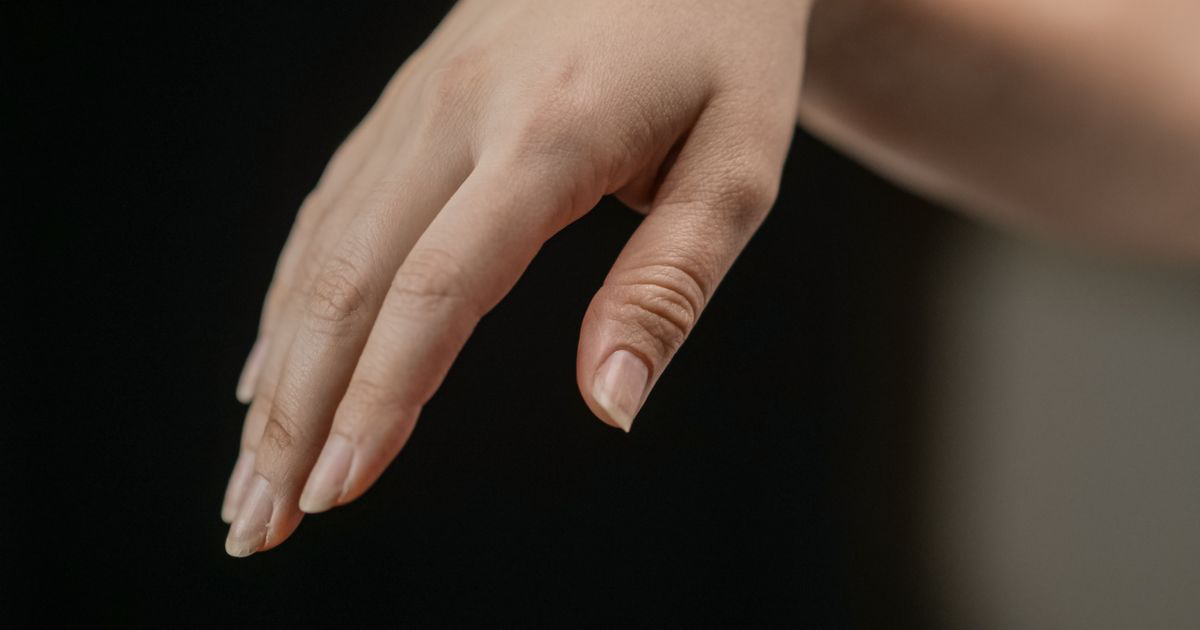
A relaxed hand is not flat. The fingers curl slightly, the little finger sits back, the thumb sits forward and lower, and the knuckles rise. Measure from lens to each nail and you can easily find three or four centimetres of spread between the nearest and the furthest. Once the sharp zone is thinner than that spread, some nails have to lose.
How far should you hold the phone from nails?
Further than instinct tells you. Around 20 to 25cm is the sweet spot for a full set.
Instinct says get closer, because closer means the nails fill the frame and every detail is visible. What actually happens is that the sharp zone collapses at the same time, so you get a huge, extremely detailed index nail and four blurry companions.
Step back to about 20cm and the sharp zone expands enough to swallow the whole hand. The nails are smaller in the frame, which feels like a loss until you crop in afterwards. A modern phone shoots at 12 megapixels or more, so cropping to half the frame still leaves plenty of resolution for Instagram, which displays feed images at 1080 pixels wide.
What about macro mode?
Macro mode makes the problem worse for a full set, and better for one nail.
It switches to the ultra-wide lens focused as close as a couple of centimetres, and at that distance the sharp zone is paper thin. On a single nail with fine detail, a smile line or a piece of chrome, that thin zone is a feature, because everything behind it falls away and the detail you focused on gets all the attention. Ask the same thing of five nails and four of them lose. There is more on when to reach for it in macro mode for nail photos.
How do you pose a hand so every nail is the same distance away?
By flattening the plane the nails sit on, not by flattening the hand.
Rest the hand on the desk or on a rolled towel and ask the client to relax the fingers rather than splay them. Then bring the little finger forward slightly and let the index sit back a fraction, so the four nails line up as a shallow arc instead of a staircase. Watch the nail tips rather than the fingers; the tips are what the camera is measuring.
The thumb is the reliable troublemaker. It naturally sits lower and closer, so either tuck it under the index finger and out of the frame entirely, or roll the whole hand slightly so the thumbnail comes up onto the same plane as the rest. Both look better than a soft thumb dominating the foreground.
Shooting straight down helps more than any setting. When the phone is parallel to the back of the hand, all five nails are close to equidistant by definition. Shoot at a low angle across the hand and you have built a staircase into the geometry, which is a fair trade when you want length, and a problem when you want the whole set readable. The best angle for nail photos covers that trade in detail.
Does lighting affect how many nails stay sharp?
More than you would think, and not in the way most people assume.
Phone cameras adjust exposure with shutter speed and ISO rather than a physical aperture on most models, but the computational pipeline behaves as though brighter light buys you more sharpness. In a bright room the phone uses a fast shutter and low ISO, which kills motion blur from a slightly shaky hand and gives the focus system a clean, high-contrast image to lock onto. In a dim salon it drops the shutter to a speed where a small wobble smears the edges, then raises ISO until noise softens the fine detail on top.
The result reads as a focus problem and is often a light problem. Move the hand near a window before you decide the phone is at fault. Techs who work in low light will recognise the pattern from why do my nail photos look blurry.
| Approach | Time per photo | Nails reliably sharp | Detail on a single nail | Skill needed |
|---|---|---|---|---|
| Phone held close, tap to focus | Seconds | One or two | Excellent | None |
| Phone at 20cm, then crop | Seconds | All five | Good | Low |
| Macro mode | Seconds | One | Excellent | Low |
| Focus stacking on a desktop | 10 minutes plus | All five | Excellent | High |
Focus stacking, where several frames focused at different distances are merged, is how product photographers solve this. It needs a tripod, a still subject and a desktop editor, none of which exist between two appointments, so it is in the table mainly to show what you are giving up by working fast. Backing off and cropping gets you 90 percent of the way there in three seconds, and how to crop nail photos for Instagram covers how much room that leaves you.
A two-minute setup for a sharp full set
- Move the hand into the brightest indirect light in the room, ideally a window with the overheads off.
- Flatten the nail tips into one shallow arc and either tuck the thumb away or roll it up onto the same plane.
- Hold the phone parallel to the back of the hand, about 20cm away, and resist the urge to close in.
- Tap the middle nail to focus, since focusing in the centre of the spread puts the sharp zone where it covers the most nails.
- Shoot three frames and crop afterwards, because the crop is free and a reshoot after the client has left is not.
Where NailTech fits in
Backing off to 20cm solves the focus problem and creates a framing one: now there is desk, sleeve and lamp base in the shot, and the nails occupy the middle third of a photo you intended to be about nails. Cropping in on a phone's stock gallery app also crops the colour problem in with it, so the warm cast from the overheads arrives at Instagram untouched and slightly more obvious at full width.
That is a two-step job every time, and doing it by hand on twenty sets a week is where most techs quietly give up and post the uncropped version.
NailTech is a nail image editor that handles the crop and the correction in the same pass.
- Crop to the set without hunting for the right frame edges by hand.
- Neutralise the salon cast so a nude gel reads as nude rather than yellow.
- Lift local contrast on the nail plate so genuinely sharp nails look as sharp as they are.
- Clean up the desk that came along with the wider framing.
NailTech is a phone editor for nail photos. Sharpening tools can make a slightly soft edge look crisper, but no editor rebuilds detail the lens never recorded, which is why the 20cm rule matters more than anything you do afterwards.
A relaxed hand spreads its five nail tips across three or four centimetres of depth. Hold the phone 8cm away and the sharp zone is thinner than that spread, so the phone is not failing, it is doing arithmetic.
Make your nail photos look salon-ready
Download NailTech and clean up the lighting, skin tone and background on every set you post, in a few taps.
Download on App StoreFrequently Asked Questions
How do you get all five nails in focus on a phone?
Get all five nails in focus by holding the phone about 20cm from the hand rather than close in, flattening the nail tips into one shallow arc, and shooting in bright indirect light. Tap the middle nail to focus, then crop the frame afterwards to bring the set back up to size.
Why are my nail photos sharp in the middle and blurry at the edges?
Nail photos go sharp in the middle and blurry at the edges because the sharp zone, or depth of field, is centred on whatever you tapped and gets thinner the closer the lens sits. Fingers at the outside of the hand sit further from the lens, so they fall outside that zone first.
Should you use macro mode to photograph a full set of nails?
Macro mode is the wrong choice for a full set of nails, because it focuses from a couple of centimetres away where the sharp zone is under a centimetre deep. Use macro mode for one nail with fine detail, and standard mode from 20cm when all five nails need to be readable.
Does cropping a nail photo make it blurry?
Cropping a nail photo does not add blur, it only enlarges what is already there. A 12 megapixel phone photo cropped to half its width still holds roughly 2000 pixels across, well above the 1080 pixels Instagram displays, so a crop from a properly lit shot stays sharp on a feed.
Why do my nails look sharp on my phone but blurry on Instagram?
Nails look sharp on a phone and blurry on Instagram because the platform recompresses every upload, and compression hits fine texture hardest. Starting with a bright, low-noise file gives the compression less to destroy, which is why shooting near a window beats shooting under a dim salon lamp.
Final Takeaways
- Distance buys depth. Twenty centimetres and a crop beats eight centimetres and a guess.
- Line up the nail tips, not the fingers. The tips are what the camera measures.
- Deal with the thumb deliberately. Tuck it out of frame or roll it onto the same plane.
- Focus on the middle nail so the sharp zone spans the most of the set.
- Bright light is a sharpness tool, because it buys a faster shutter and lower noise.
- Reserve macro mode for one nail where the blur behind is the point.

Hannah
Hannah is a co-founder of NailTech, the nail image editor that turns quick phone shots into portfolio photos. She worked in the beauty industry before moving into mobile design, and now owns product and design on the app.